
Glass and glazing website
Project-led discovery, clear glazing services and enquiries with useful project details.
Glass and glazing website
Project-led discovery, clear glazing services and enquiries with useful project details.
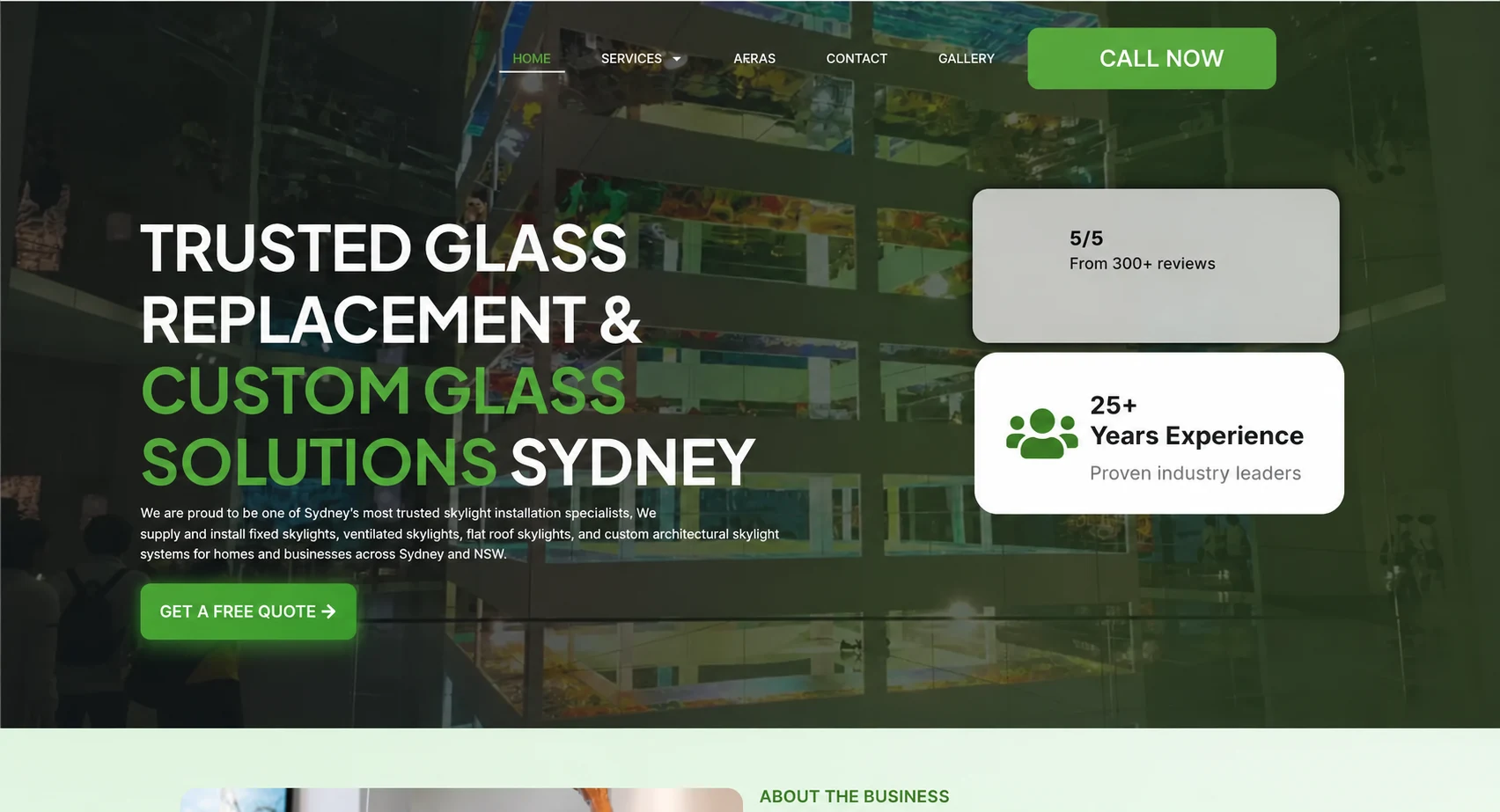
A glazing website needs to help very different customers find their starting point. Glass and glazing website combines project imagery, service navigation and clear quote routes for residential repairs, custom glass and commercial work.
Project Website design Industry Glass & architectural glazing UX focus Project inspiration → service → quote Location Sydney, NSW
The features behind
the experience.
A strong glazing identity
Deep green, bright quote controls and large project imagery give the service message a clear setting.
02 / DESIGN FEATURENavigation around the work
Glass roofs, mirrors, skylights, repairs and other glazing services have distinct routes.
03 / DESIGN FEATUREProjects as useful evidence
Project categories and individual installation stories help visitors explore relevant examples.
04 / DESIGN FEATUREA more useful quote request
Service, suburb, requirements and file-upload fields give the team context for the enquiry.
Let’s Get to Know You
Connect the project to the service.
A customer looking for a mirror installation and a builder planning architectural glazing need different information. The site provides service categories and project routes rather than relying on one general introduction.
The live project collection groups examples by the type of work, including mirrors, glass roofs and architectural glass. Visitors can use those examples to understand what to explore next.
01 / VISITOR JOURNEYFind a relevant example
Explore the installation imagery and project categories.
02 / VISITOR JOURNEYUnderstand the service
Follow the matching glazing or repair route for more detail.
03 / VISITOR JOURNEYDescribe the project
Use the quote route to provide the service, location and requirements.
A broad range, with a clear starting point.
The navigation separates services, areas, gallery, projects and contact. That structure supports urgent repair enquiries alongside people comparing options for planned residential or commercial work.
Service-led routes
Specific glazing and repair pages help visitors begin with the work they need.
Project-led routes
Installation stories offer another route for people who recognise the result before the service name.
Contact beside the content
Call and quote options appear alongside the introduction and service information.
Ask for details that help the first response.
The live enquiry form separates the project information from contact details. A service choice, suburb or address, requirements and an optional file upload help the business understand the request before following up.
Identify the type of work
A service choice gives the enquiry a useful starting category.
Add the project context
Location and requirements help describe where the work is and what is needed.
Support a visual brief
The file-upload route lets visitors share relevant project material when appropriate.
The enquiry pathway 01Find a relevant example
Explore the installation imagery and project categories.
02Understand the service
Follow the matching glazing or repair route for more detail.
03Describe the project
Use the quote route to provide the service, location and requirements.
A clear purpose
behind the design.
Work shown at scale
Photography introduces the possibilities of glass while green accents distinguish the contact controls.
Information designMultiple ways to explore
Service pages, project categories and area information support different customer needs.
Enquiry architectureContext before the callback
Project and contact details are brought together in a defined quote route.
Make the right
first impression.
Tell us about your services, customers and the actions your website needs to support.
Discuss my website Explore the live project ↗Design features documented in the source. Conversion, revenue and advertising improvements are not claimed for this design.